Fatura · FT CD26/1842
Continente Bom Dia
Supermercado24,90 €
IVA4,66 €
ATCUD CSDF7T5H-1842
An expense ledger, in Portugal
Point your phone at the QR. EuGasto writes the amount, the date and the seller’s tax number. If you have bought there before, the category comes from your earlier expenses.
No card. The free plan includes one space.
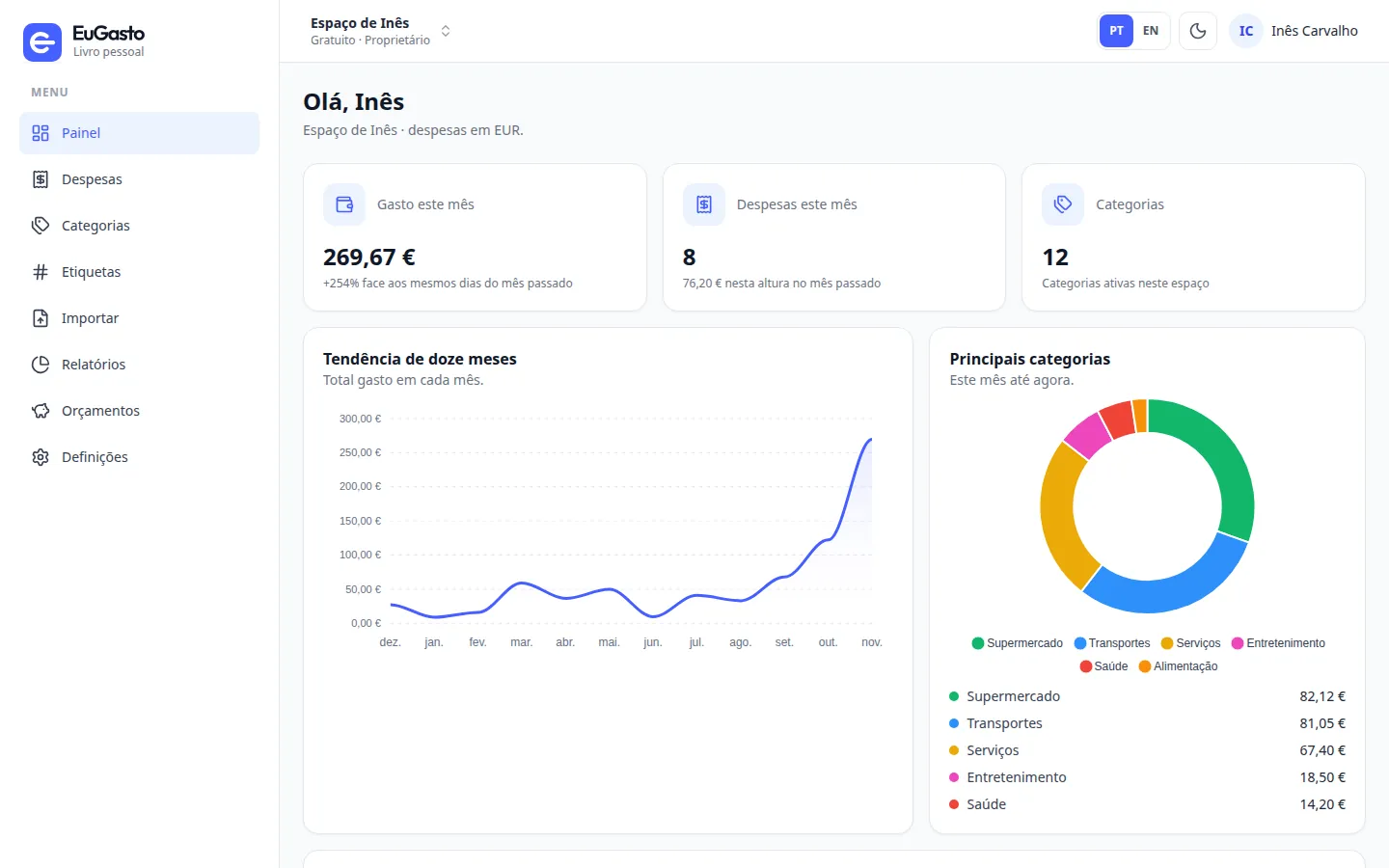
Portuguese invoices carry it, ATCUD included. One read gives the total, the date and the seller. The name and the category are learned from what you already recorded.
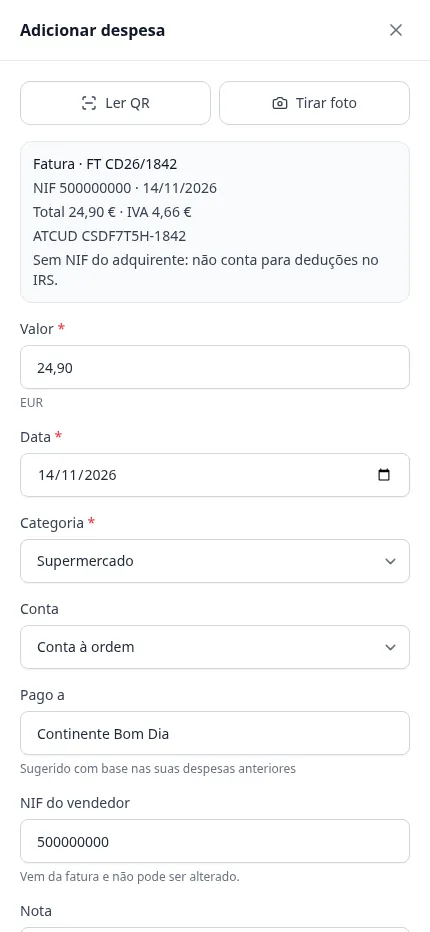
Each expense has an amount, a date, a category, an account, tags and a note. Search by name or by tax number. Money leaving the space stays in that space’s currency.
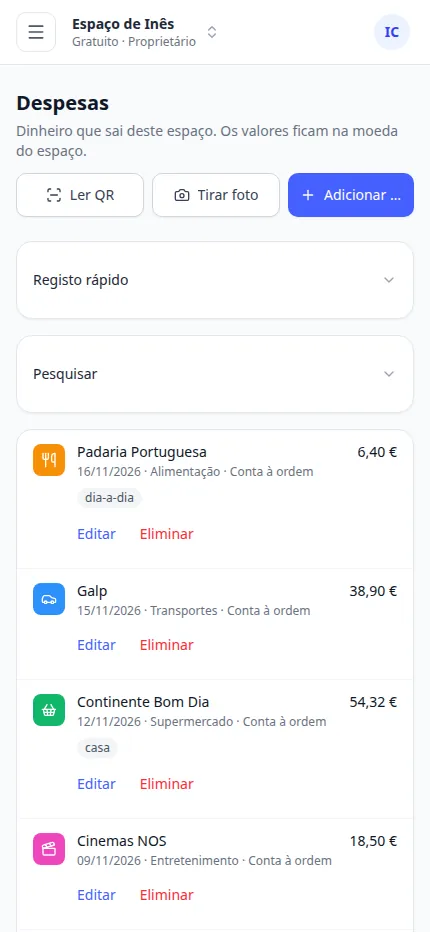
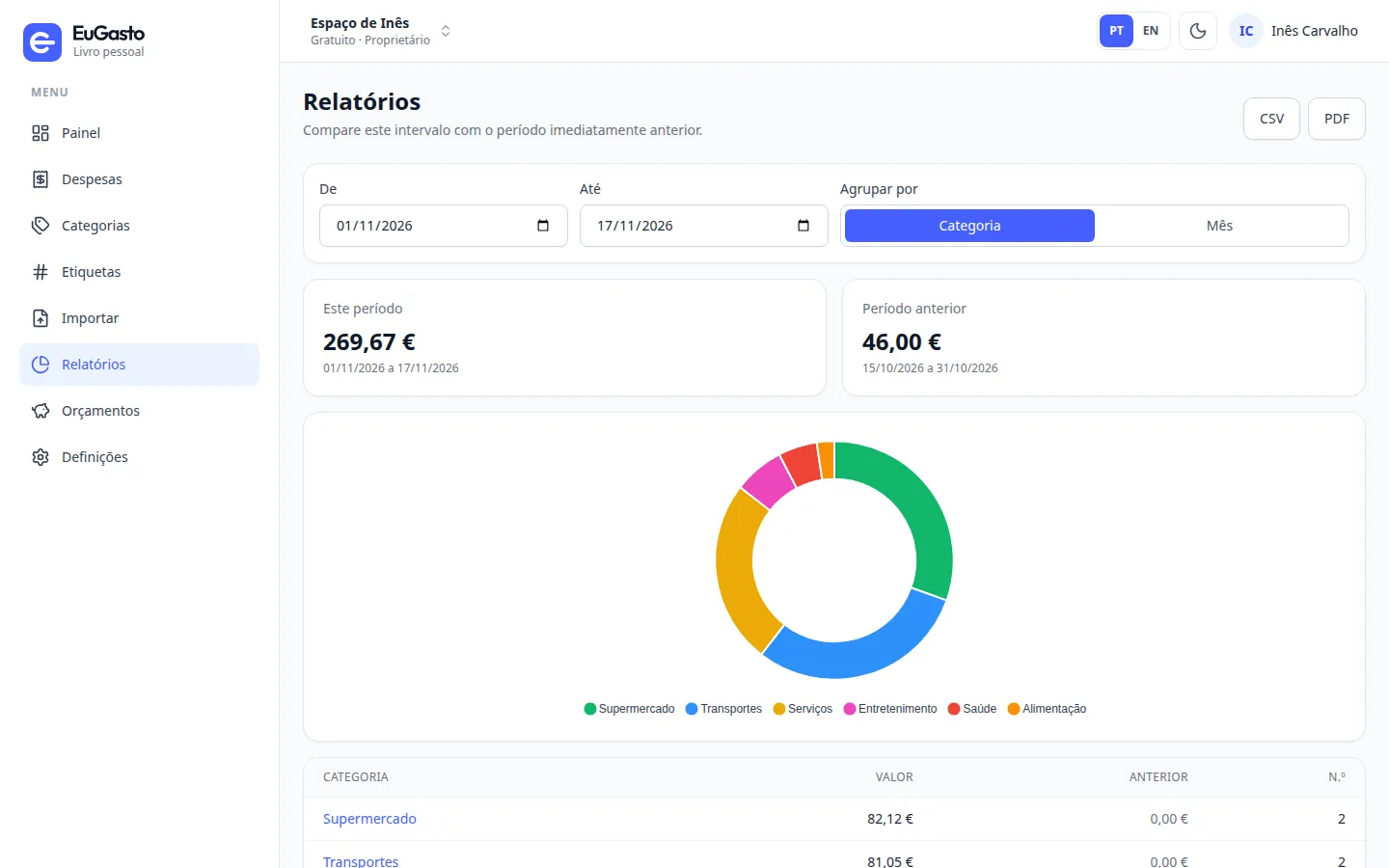
The dashboard compares this month with the same days last month, and draws twelve months. In reports you pick the dates and take a CSV or a PDF.
That is your ledger. On the free plan you create one, already with categories, then add tags and accounts.
Import a statement. From reports, export expenses as CSV or the period as PDF.
On iPhone, Add to Home Screen. On Android, Install. Offline, a fallback page opens. Saving an expense needs a connection.
Claude, ChatGPT or Cursor can connect to one space. You choose read only, or read and write. How to connect an assistant
The free plan doesn’t ask for a card. Premium is yearly or monthly, with VAT included.
The essentials, with no card and no time limit.
€0
Includes
Unlimited, with proper reports. And what comes next.
€23.99/year
works out at €2.00/month
2 months free
€2.99/month
VAT included.
Includes
Portuguese invoices with the tax authority’s code. EuGasto fills in the total, the date and the seller’s tax number. Credit notes, receipts and transport documents are refused. The same invoice is not recorded twice in one space.
If you have already recorded that tax number, the name, category and account are suggested from it. For a company you have not seen before, the name can come from the EU VAT register. You can change it before saving.
No.
Not yet. The free plan includes one space of your own. Inviting someone else is not available.
Yes, on the Home Screen, and on Android too. Offline, you get a fallback page. Checking the invoice and saving the expense needs a connection. The camera image stays on the phone: the QR is read on the device.
The account is yours. Deleting it removes the spaces you created, the expenses and the files. An assistant only enters the space you authorise, read only or read and write.
Yes. You cancel in Settings. The subscription stays active until the end of the period you’ve already paid for.
It stays in your account. Extra spaces become read-only.
Yes. You pay by card, through Stripe.
Create the account and record the first expense. The QR is on your phone.